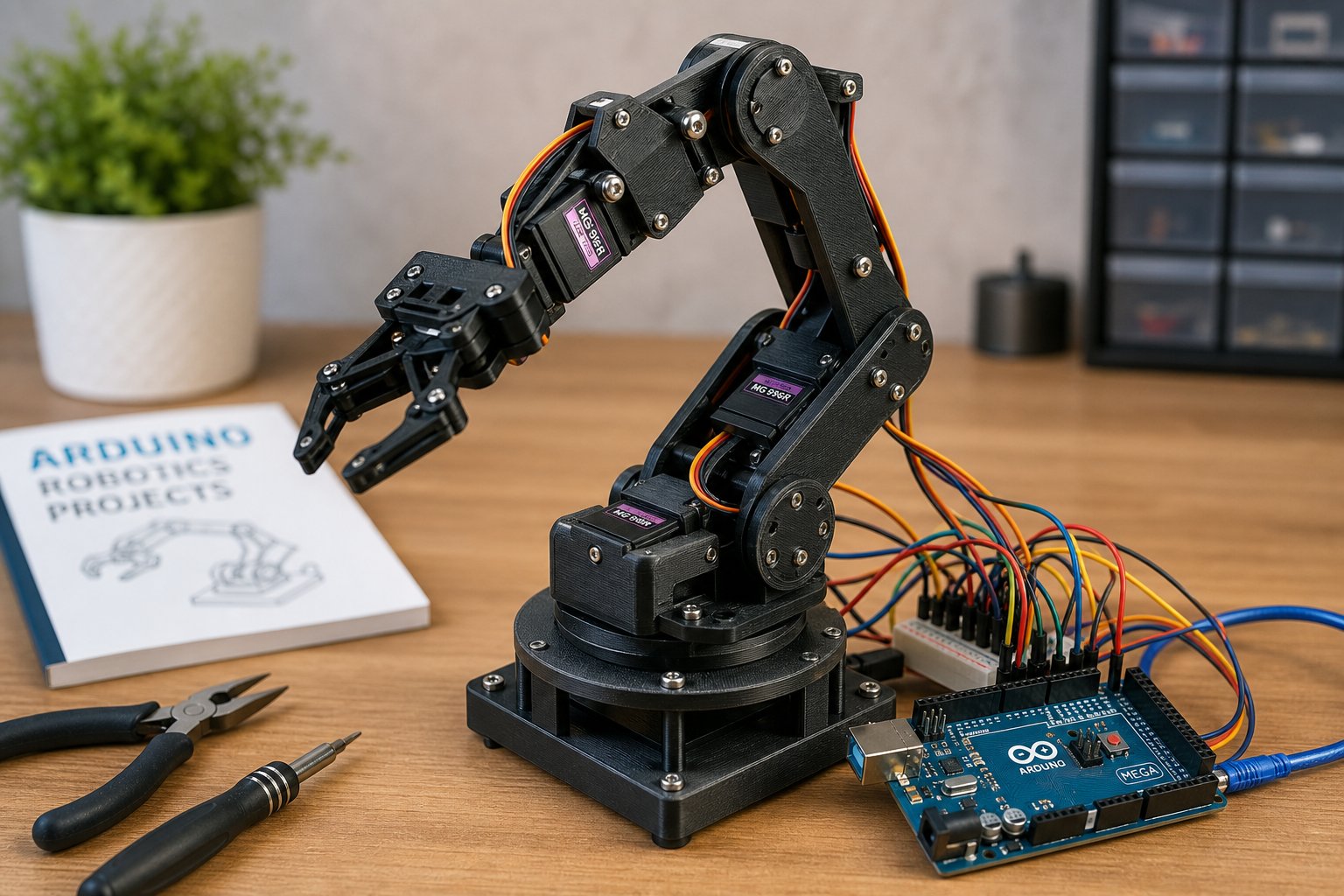
Open-Source Robot Arm Projects Worth Knowing About
Plenty of pages promise "verified" hardware without ever linking to a real source. This guide takes a narrower approach: it covers four open-source robot arm projects that have public repositories, identifiable authors, and documentation you can check yourself.
- Thor (Ángel L.M.) — originally a university final-degree project started around 2015, open-source from the start, with a build community that has grown across multiple countries over the years.
- PAROL6 (Petar Crnjak / Source Robotics) — a 6-DOF desktop arm with a custom STM32F446 control board; STL files and firmware are released under GPLv3.
- dARM (JesseDarr) — an open-source 3D-printed 6-DOF arm built around ODrive S1 BLDC controllers, documented with roughly a 0.975 m reach and a modular joint design.
- Faze4 (PCrnjak) — a smaller, fully 3D-printable 6-axis arm designed to keep total build cost relatively low.
Each repository above is publicly accessible and licensed for reuse under its stated terms. We link directly to the source rather than to a mirror or reseller page wherever possible, so you can read the original documentation yourself. For controller wiring once your parts are printed, see our Arduino robot arm tutorial; for ROS 2 integration, see our ROS 2 robot arm control guide.
STL Repositories — Direct Links
If you're comparing a DIY build against a commercial desktop arm, our 6-DOF Robot Arm Guide covers both paths side by side.
The table below lists the repositories referenced in this article, the file formats available, and the specifications documented by each project's creator. These are links to the original source pages — not affiliate or resold links.
| Project / Component | Source URL | Author | License | Documented Specs |
|---|---|---|---|---|
| Thor — 6-DOF Open Source Arm (STL + STEP) | github.com/AngelLM/Thor | Ángel L.M. | Open Source | ~625 mm height; ~750 g payload (per project docs); 6 DOF; designed with FreeCAD / KiCAD / GRBL |
| Thor Thingiverse Mirror | thingiverse:1743075 | Ángel L.M. | CC BY-SA 4.0 | Community-built units reported across multiple countries; see repository README for the current version history |
| PAROL6 — Desktop Robot Arm (STL + code) | github.com/PCrnjak/PAROL6 | Petar Crnjak | GPLv3 (STL + software) | ~400 mm reach; ~500 g–1 kg payload (per project docs); STM32F446 controller |
| PAROL6 Printables Mirror | printables:584932 | Petar Crnjak | GPLv3 | Full STL set, assembly manual, and bill of materials included |
| dARM — 6 DOF Open Source Arm | github.com/JesseDarr/dARM | JesseDarr | Open Source | ~975 mm reach; ~5 lb payload (per project docs); ODrive S1; modular design |
| dARM Printables Mirror | printables:1256981 | JesseDarr | Open Source | Designed and tested with a Bambu X1C printer; full assembly instructions |
| Faze4 — Small 6-Axis Printable Arm | printables:611889 | PCrnjak | Open Source | Designed for a low total build cost; fully 3D-printable, including cycloidal gearboxes |
| 6DOF Robot Arm by dannyvandenheuvel | thingiverse:2465275 | dannyvandenheuvel | Open Source | SpaceClaim-designed; STL and STEP files available |
| PAROL6 Desktop (Thingiverse mirror) | thingiverse:6167727 | PCrnjak | GPLv3 | Mirrors the GitHub version; check both for the latest revision |
None of the repositories above charge for the files themselves. Some hosting platforms (Thingiverse, Printables) require a free account to download — that's a platform policy, not a restriction from the creators.
Which Project Should You Build First?
With four solid options, beginners often ask where to start. Here's a practical breakdown based on skill level and goals — treat this as a starting heuristic, not a strict rule:
- Consider Thor if you want a long-running project with an established build community and prefer stepper-motor-based control, which tends to be more approachable for Arduino integration.
- Consider PAROL6 if precision matters most to you and you're comfortable working with a custom STM32 control board rather than a generic Arduino setup.
- Consider dARM if you need the longest reach and highest payload of the four, and are willing to work with BLDC motor controllers (ODrive S1) instead of standard steppers or servos.
- Consider Faze4 if budget is your primary constraint — it's designed specifically to minimize total build cost while remaining fully 3D-printable, including the gearboxes.
Material Comparison: PLA, PETG, ABS, and Resin
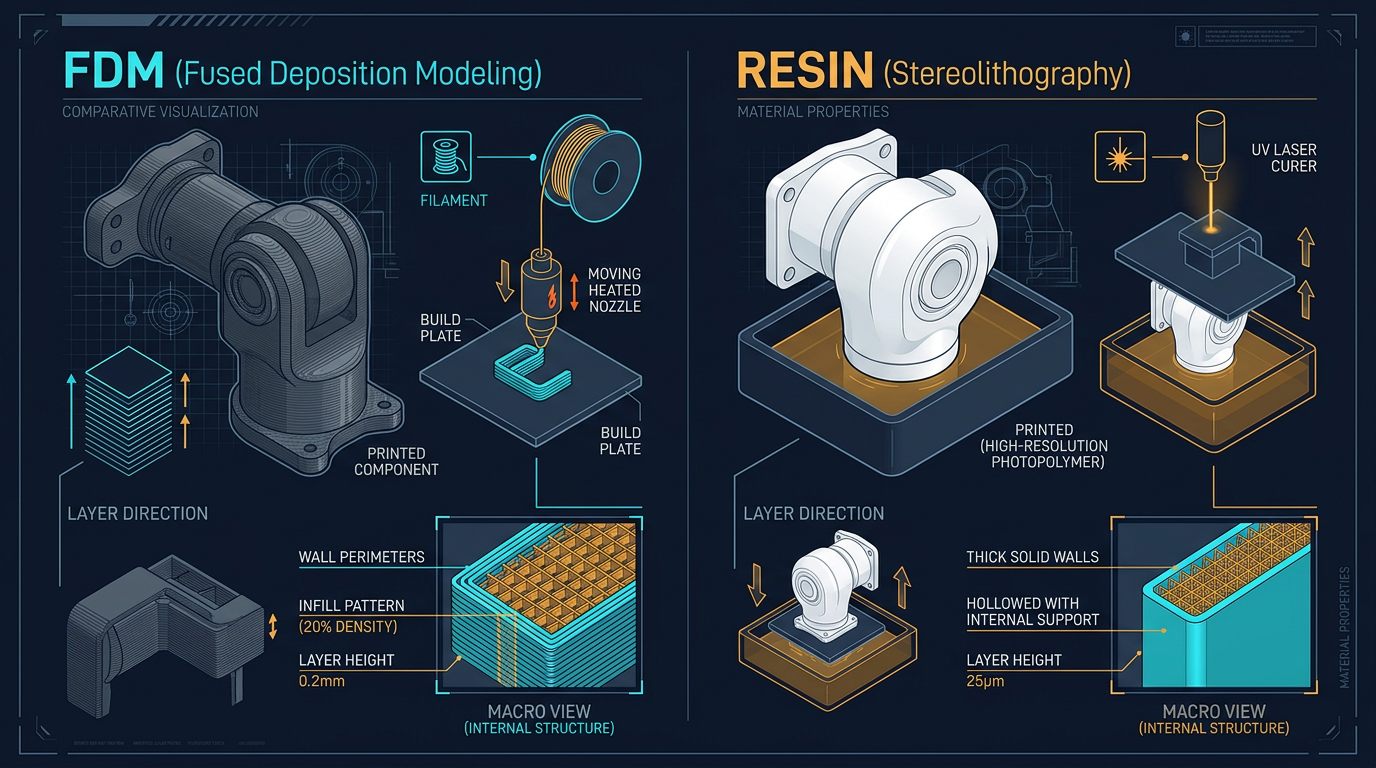
The choice between PLA, PETG, ABS, and resin affects structural performance, not just appearance. The table below compares manufacturer-published datasheet values — actual part strength also depends heavily on print orientation, infill, and layer adhesion, which datasheets don't fully capture.
| Material | Layer Height (typical) | Infill (structural) | Tensile Strength (manufacturer datasheet) | Best Component |
|---|---|---|---|---|
| PLA (e.g. Prusament, Hatchbox) | 0.2 mm (0.1 mm for detailed joints) | ~30% gyroid, 4 walls | ~35 MPa per ASTM D638 test method | Non-load links, cosmetic covers, prototype joints |
| PETG (e.g. Overture, Prusament) | 0.2 mm | 30–40% gyroid, 4 walls | ~50–55 MPa (varies by brand) | Joint housings, load-bearing links, gripper jaws |
| ABS (e.g. Hatchbox, Polymaker) | 0.2 mm (0.15 mm for detail) | ~35% tri-hexagon, 5 walls | ~40–45 MPa (varies by brand) | Base plates, structural frames, high-vibration mounts |
| Standard Resin (e.g. Formlabs, Elegoo) | 0.025 mm | Solid or ~15% lattice, post-cure required | ~55–65 MPa per Formlabs specifications | Wrist components, high-precision gears, small joints |
Tensile strength figures vary by brand and even by production batch — the ranges above come from manufacturer datasheets (Prusa Research, Hatchbox, Formlabs) rather than independent third-party lab testing. Always check the specific datasheet for the filament or resin you actually plan to buy.
Print Settings Referenced by These Repositories
Each open-source repository documents its own recommended print settings. The table below is a consolidated reference drawn from the authors' published build guides — treat it as a starting point for your first print, then tune based on your own printer's calibration.
| Parameter | PLA | PETG | ABS | Resin (high-detail joints) |
|---|---|---|---|---|
| Layer Height | 0.2 mm | 0.2 mm | 0.2 mm (0.15 mm detail) | 0.025 mm |
| Infill Pattern | Gyroid (~30%) | Gyroid (~35%) | Tri-hexagon (~35%) | Solid / ~15% lattice |
| Wall Count | 4 walls | 4 walls | 5 walls | Solid (post-cure required) |
| Print Temperature | 200–210 °C | 230–250 °C | 240–260 °C (enclosure recommended) | N/A (405 nm UV) |
| Bed Temperature | ~60 °C | ~75 °C | ~90–100 °C | N/A |
| Post-Process | Sand joints; optional acetone-vapor smoothing (ABS only) | Sand joints; heat-set inserts for tight fits | Acetone vapor smoothing; anneal for stress relief | IPA wash (~5 min) + UV cure |
These settings are drawn from the build documentation of Thor (github.com/AngelLM/Thor), PAROL6 (github.com/PCrnjak/PAROL6), and dARM (github.com/JesseDarr/dARM). Print times and per-part material cost vary too much by printer, slicer, and local filament pricing to state as fixed numbers — check your slicer's estimate for the actual STL file before ordering material.
Troubleshooting Common Print Failures in Robot Arm Parts
Robot arm joints and links present printing challenges that typical hobby prints don't, since they combine load-bearing requirements with tight tolerances for bearing seats and fastener holes. These are issues commonly reported in maker forums and the repositories' own issue trackers:
- Layer delamination at joint stress points: a frequently reported structural failure. Try increasing wall count to 4–5 perimeters and printing at the upper end of the material's temperature range for better layer fusion.
- Warping on large base plates: ABS and PETG base components can warp during long prints. A heated enclosure, a brim, and a properly leveled first layer usually help.
- Oversized or undersized bearing seats: printed circular holes often come out slightly undersized due to plastic shrinkage. Many builders design bearing seats about 0.2 mm larger than the nominal bearing outer diameter, then fine-tune by test fit.
- Stripped heat-set insert threads: common when inserts are installed too hot or too fast. A temperature-controlled soldering iron tip, rather than a fixed-temperature iron, gives more consistent results.
- Servo horn slop causing backlash: a loose fit between printed gears/horns and servo output shafts. Print a small test-fit piece first and adjust hole tolerance in small increments before committing to a full print.
About These Projects and Their Creators
Rather than inventing hypothetical scenarios, this section summarizes what each project's own public documentation says about it — with links so you can read the original source yourself.
According to the project's GitHub README, Thor was released as a fully open-source design using only open-source tools — FreeCAD for modeling, KiCAD for PCB design, and GRBL for firmware — and has attracted a community of builders over the years since its original release.— Paraphrased from the Thor project documentation. Read the original at github.com/AngelLM/Thor.
PAROL6, developed by Petar Crnjak (Source Robotics), uses a custom STM32F446 control board with firmware released under GPLv3. The full bill of materials, assembly instructions, and STL set are published on both GitHub and Printables — see the links in the table above for the current documentation.
dARM, by JesseDarr, is built around BLDC controllers (ODrive S1) rather than standard stepper motors, aiming for higher performance at the cost of a steeper build. The project has gone through multiple documented revisions, with modularity as a stated design goal — see the repository's changelog for specifics.
Faze4, also by PCrnjak, is a smaller and more affordable 6-axis arm aimed at education and light automation. It uses 3D-printed cycloidal gearboxes, which the author documents as a way to reduce backlash while keeping the whole build 3D-printable.
3D Printing vs. CNC Aluminum vs. Injection Molding
The right manufacturing method depends heavily on batch size and how many design iterations you expect to make. The table below gives an approximate, order-of-magnitude comparison rather than fixed pricing — actual costs vary by region, supplier, and material choice.
| Component / Method | 3D Printed (PETG/PLA) | CNC Aluminum (6061-T6) | Injection Mold (100+ units) |
|---|---|---|---|
| Link (each), approximate range | Low single-digit to ~$10 | ~$60–$120 (machined + finish) | ~$10–$20 (amortized mold) |
| Design Iteration Time | Hours (edit STL, reprint) | Days to weeks (quote + machining) | Weeks (tooling changes) |
| Lead Time (first unit) | Same day to ~2 days | ~1–2 weeks | ~3–5 weeks |
These ranges are order-of-magnitude estimates based on typical component costs referenced in open-source BOMs (such as PAROL6's, at github.com/PCrnjak/PAROL6) and general industry pricing for small-batch 6061-T6 machining and injection molding. They are not quotes — get current pricing from a supplier before budgeting a project. For low-volume prototyping and education, 3D printing's iteration speed is usually the deciding factor over raw per-part cost. For large production runs, injection molding tends to become more economical once tooling costs are amortized over enough units — the exact break-even point depends on part complexity and local labor costs, so we won't state a single "unit count" as a universal rule.
Sources and References
The claims in this article are linked to their primary source wherever possible. Where a number is a design target reported by the project author rather than an independently verified measurement, we've said so in the text above.
- Thor (Ángel L.M.): github.com/AngelLM/Thor | Thingiverse | Project website: thor.angel-lm.com
- PAROL6 (Petar Crnjak): github.com/PCrnjak/PAROL6 | Printables | Source Robotics: source-robotics.com
- dARM (JesseDarr): github.com/JesseDarr/dARM | Printables
- Faze4 (PCrnjak): Printables
- Thingiverse — 6DOF Robot Arm (dannyvandenheuvel): thingiverse:2465275
- ASTM D638 (Tensile Properties of Plastics): astm.org/d0638-22
- IFR World Robotics Report: ifr.org/world-robotics — published annually; consult the current edition for up-to-date figures.
- Material manufacturers referenced: Prusa Research, Creality, Bambu Lab, Formlabs, Hatchbox 3D
We have no financial or sponsorship relationship with any manufacturer, platform, or repository listed above. This article does not claim that any repository has been independently audited by a third-party lab — only that the files exist, are openly licensed, and were reviewed against their public documentation by our editorial team. If you spot an outdated link or a discrepancy with the current repository, please let us know.
Frequently Asked Questions
Are the STL files really free to download?
Yes. The repositories listed (Thor, PAROL6, dARM, Faze4) are published under open-source licenses (CC BY-SA, MIT, or GPLv3, depending on the project). Some hosting platforms (Thingiverse, Printables) require a free account to download files — that's a platform requirement, not a fee charged by the creators.
Can I use these files for commercial production?
It depends on the specific license of each project. PAROL6 is GPLv3, which requires commercial derivatives to also be released under GPLv3. Thor and dARM use permissive open-source terms that generally allow commercial use with attribution. Always check the license file in the repository before commercial production.
How reliable are the payload and reach specifications listed here?
The specifications cited come from the creators' own repository documentation and describe design targets, not independently lab-tested guarantees. Actual results depend on print quality, material batch, assembly precision, and calibration.
What is a common cause of failure in 3D-printed robot arm joints?
Layer delamination under repeated torsional stress is frequently reported, typically linked to insufficient wall count, printing at too low a temperature, or orienting the part so load is applied perpendicular to the layer lines rather than along them.