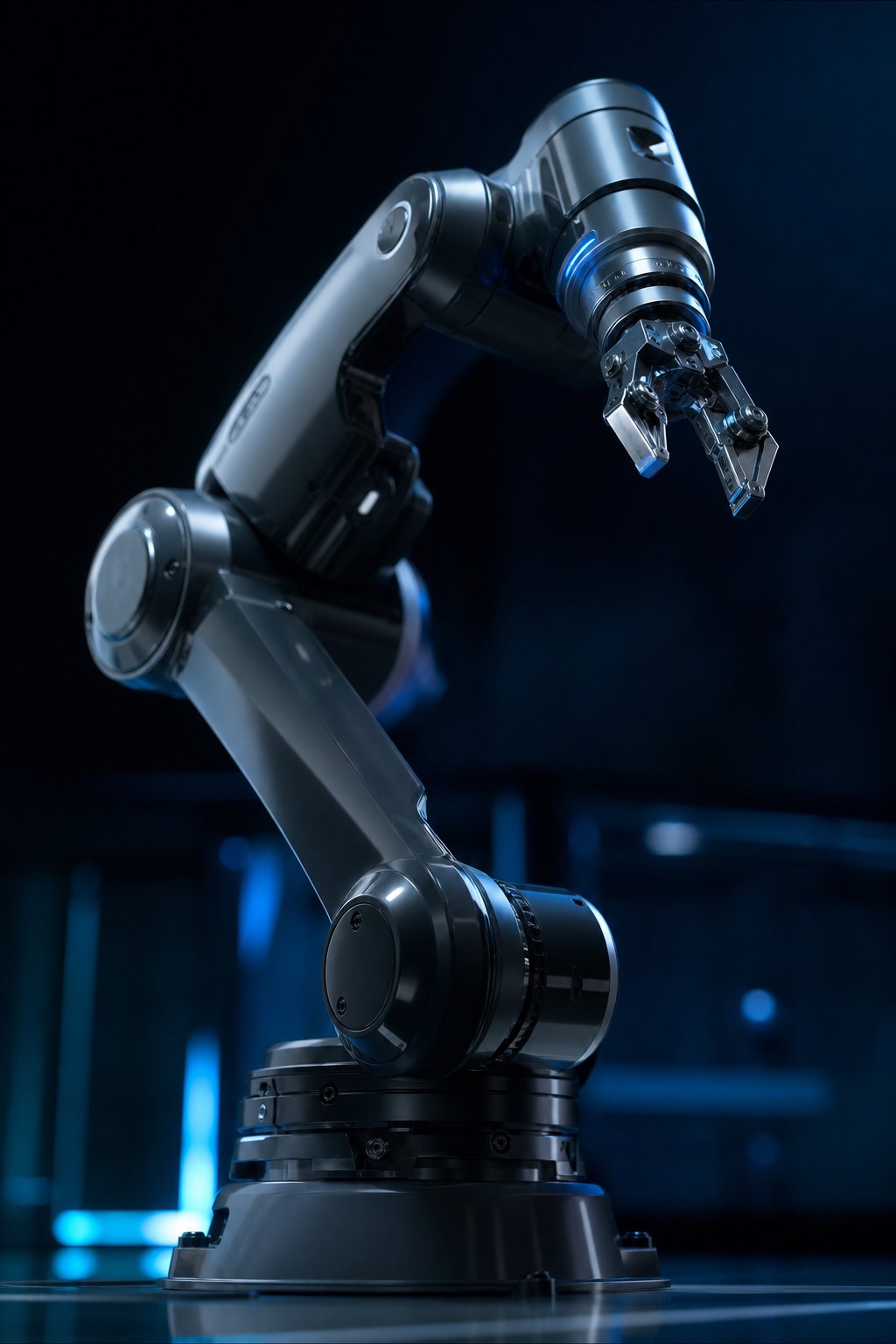
Why Vision Turns a Robot Arm Into an Adaptive Worker
A robot arm without vision is, functionally, a blind machine. It can execute a taught path with excellent repeatability, but it cannot react to a part that has shifted position, arrived in a random orientation, or varies slightly from the CAD model it was programmed against. Adding a vision system changes that fundamentally: the robot arm gains the ability to perceive its environment, locate objects it has never seen in that exact position before, and adjust its trajectory in real time.
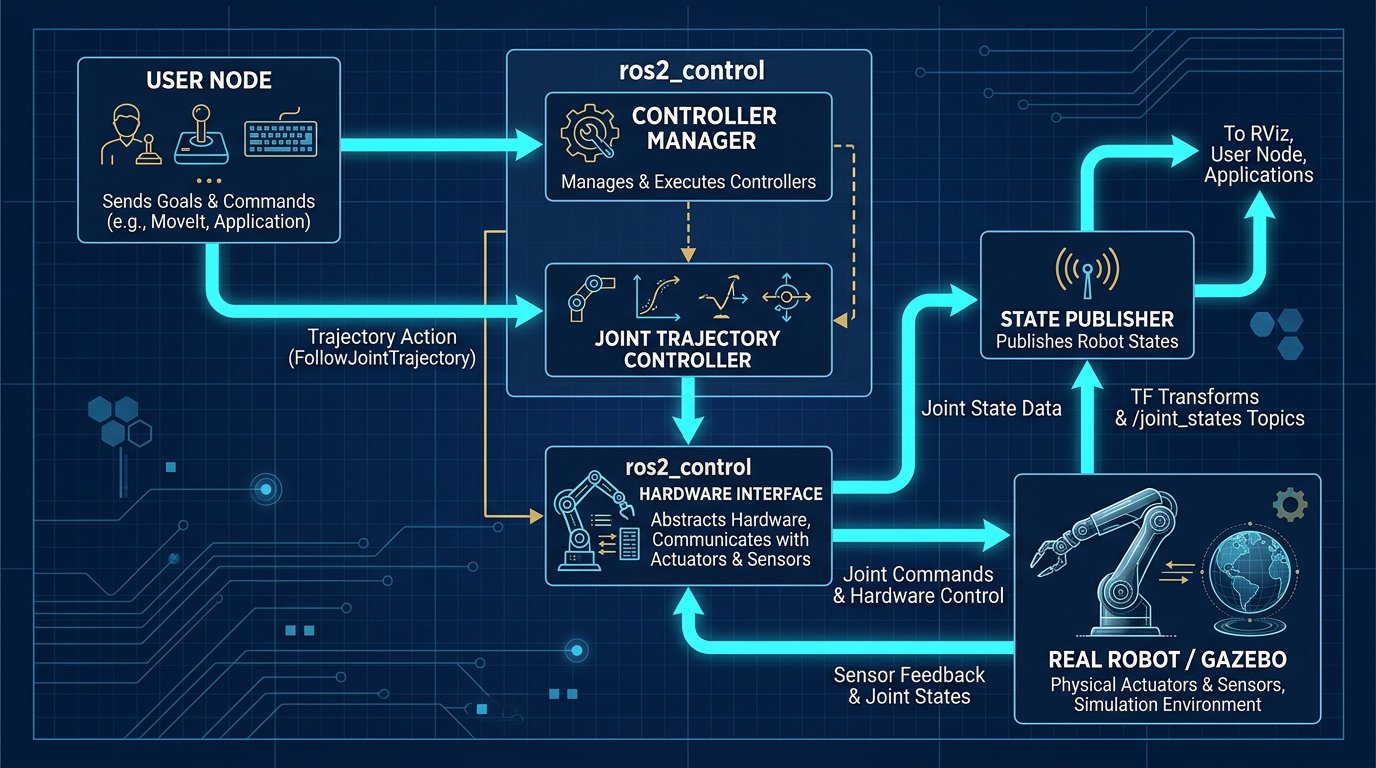
This capability is what makes random bin picking, in-line quality inspection, and adaptive assembly possible — three of the fastest-growing applications for 6-axis robot arms in North America. This guide focuses specifically on the technical decisions involved in adding vision to a robot arm: which camera to choose, where to mount it, how to calibrate the camera-to-robot transformation, how object detection models like YOLOv8 work in practice, and how to structure the software pipeline using ROS 2.
Representative performance figures for a well-tuned vision-guided picking system include object detection accuracy above 98% on trained classes, end-to-end processing time around 45 milliseconds per frame on GPU-accelerated hardware, and camera resolutions starting at 1280×720 for standard bin-picking tasks (higher resolutions are used for fine inspection work). Key technology providers in this space include Intel RealSense, Basler, FLIR, and NVIDIA for edge AI compute.
Camera Selection: RGB-D vs. Industrial Machine Vision
The single most consequential early decision in any vision integration project is camera selection, and it depends entirely on the task, not on which sensor has the best marketing specs.
RGB-D (Depth) Cameras
Consumer-grade depth cameras such as the Intel RealSense D435 combine a color sensor with stereo infrared depth sensing, producing a synchronized RGB image and a depth map in a single low-cost unit (typically $200–$400 USD). This makes them the default choice for bin picking and general pick-and-place tasks, where the robot needs to know both what an object is and roughly how far away it is, but does not need micron-level precision.
Industrial Machine Vision Cameras
For quality inspection and high-precision applications — checking weld seam quality, verifying component placement, reading part serial numbers — industrial cameras from Basler or FLIR are preferred. These cameras offer global shutter sensors (eliminating motion blur during robot movement), higher resolutions (2–12 MP or more), precise hardware triggering synchronized to the robot controller, and industrial-grade housings rated for factory environments. They typically cost $800–$3,000 USD per unit depending on resolution and interface (GigE Vision or USB3 Vision).
| Camera Type | Typical Cost | Best For | Limitation |
|---|---|---|---|
| RGB-D (RealSense-class) | $200 – $400 | Bin picking, general object detection | Lower precision at long range |
| Industrial GigE/USB3 | $800 – $3,000 | Inspection, precision measurement | Requires separate depth sensing or stereo pair |
| 3D structured-light scanner | $3,000 – $15,000 | High-precision surface/weld inspection | Slower capture rate |
Eye-in-Hand vs. Eye-to-Hand Mounting Strategies
Where you physically mount the camera changes what the vision system can and cannot do, and many integration projects fail simply because the wrong configuration was chosen for the task.
- Eye-in-hand (wrist-mounted): The camera travels with the robot's end-effector, providing a close, high-resolution view of the object right before grasping. This is ideal for final grasp verification and fine alignment, but the camera's field of view is limited and images can suffer from motion blur if the arm moves too quickly during capture.
- Eye-to-hand (fixed, overhead or side-mounted): The camera remains stationary and observes the entire workspace, which is better for locating multiple scattered objects in a bin before the arm commits to an approach path. The tradeoff is lower resolution per object at distance and potential occlusion by the robot arm itself during operation.
Many production-grade bin-picking cells use a hybrid approach: a fixed overhead camera performs coarse object localization across the whole bin, and a wrist-mounted camera performs fine pose correction in the final centimeters before the gripper closes.
Hand-Eye Calibration: The Step Buyers Underestimate
Hand-eye calibration establishes the precise mathematical transformation between the camera's coordinate frame and the robot's base or flange coordinate frame. Without it, a camera can perfectly detect an object's pixel location, but the robot has no reliable way to translate that into a real-world position it can move to. This is consistently the step that new integrators underestimate, and poor calibration is the leading cause of "the vision system doesn't work" complaints that are actually coordinate-transformation errors.
The standard procedure uses a calibration target — typically a checkerboard or ArUco marker grid — moved through a series of known robot poses while the camera captures corresponding images. An algorithm (commonly Tsai-Lenz or Park-Martin methods, both implemented in OpenCV) then solves for the fixed transformation matrix between camera and robot frames. For eye-in-hand configurations, this must be repeated if the camera is ever removed and remounted; for eye-to-hand setups, recalibration is needed if the camera or robot base shifts even slightly.
Object Detection with YOLOv8: How It Actually Works
YOLOv8 ("You Only Look Once," version 8) is a real-time object detection neural network that processes an entire image in a single forward pass, predicting bounding boxes, object classes, and confidence scores simultaneously. This single-pass architecture is what makes it fast enough for robotic applications — inference times of 20–45 milliseconds are achievable on embedded GPU hardware like the NVIDIA Jetson Orin, which is fast enough to guide a robot arm in near real time.
In a robotic pick application, the practical workflow looks like this:
- A dataset of the target objects is collected and manually annotated with bounding boxes, or generated synthetically using domain randomization techniques.
- The YOLOv8 model is fine-tuned (transfer learning) on this dataset, typically starting from a pretrained checkpoint to reduce training time and data requirements.
- The trained model runs inference on live camera frames, outputting bounding boxes and class labels for detected objects.
- Bounding box centers are combined with depth data (from the RGB-D camera) to estimate a 3D grasp point in the camera's coordinate frame.
- The hand-eye calibration transformation converts that 3D point into robot base coordinates, which the motion planner uses to generate an approach trajectory.
Detection accuracy above 98% is achievable, but only with well-curated training data that reflects real lighting conditions, object orientations, and background clutter the robot will actually encounter in production — a model trained only on clean studio images will underperform significantly on a factory floor.
Building the Pipeline in ROS 2
ROS 2 provides the standard middleware architecture for connecting cameras, AI inference, and robot motion control into a coherent pipeline. A typical vision-guided picking stack in ROS 2 includes:
- A camera driver node (e.g.,
realsense2_camera) publishing RGB and depth image topics. - A perception node running the YOLOv8 inference model, subscribing to the image topic and publishing detected object poses.
- A TF2 transform tree maintaining the calibrated relationship between camera frame, robot base frame, and end-effector frame.
- A MoveIt 2 motion planning node that receives target grasp poses and computes a collision-free trajectory for the arm.
- A grasp execution node coordinating gripper actuation with the final approach motion.
This modular architecture means individual components (camera model, detection model, robot brand) can be swapped without rewriting the entire pipeline, which is one of the strongest arguments for building on ROS 2 rather than a fully proprietary vision stack.
AI-Driven Grasp Planning
Detecting an object's location solves only half the problem — the robot also needs to determine how to grasp it without collision or slippage. Traditional grasp planning relied on hand-coded rules based on known object geometry. Modern AI-driven grasp planning instead uses models trained on large datasets of successful and failed grasps (such as the Cornell Grasp Dataset or synthetic simulation data from tools like NVIDIA Isaac Sim) to predict the highest-probability grasp point and gripper orientation directly from the depth image, even for objects the system has not seen in that exact orientation before.
This is particularly valuable in random bin-picking scenarios, where objects arrive in unpredictable orientations and a rule-based system would need an impractical number of manually defined grasp rules to cover every case.
"Vision transforms a robot from a blind, path-repeating machine into an adaptive worker. Combining YOLOv8 detection with a properly calibrated ROS 2 pipeline is what makes 98% detection accuracy at 45 milliseconds achievable outside a research lab."— Robotics Engineering, Manufacturing Intelligence Report 2026
Performance Benchmarks and Specifications
When evaluating a vision-guided robot arm system, these are the metrics that actually determine production readiness:
| Metric | Typical Range | Why It Matters |
|---|---|---|
| Detection accuracy | 90% – 98%+ | Directly affects miss rate and cycle interruptions |
| Inference time | 20 – 80 ms | Must fit within the robot's cycle time budget |
| Camera resolution | 1280×720 – 4K | Higher resolution needed for small or distant parts |
| Calibration accuracy | ±0.5 – ±2 mm | Determines grasp success rate on small objects |
| Picks per hour (typical bin picking) | 600 – 1,400 | Core productivity metric for ROI calculations |
These figures should be validated against independent benchmarks where possible, including data published in the IFR World Robotics Report, which tracks adoption trends for AI-enabled robotic systems across manufacturing sectors.
Market Context in the USA and Canada
Vision-guided robotic automation is one of the fastest-growing segments of the North American robotics market. In the United States, adoption is concentrated in food and beverage packaging, e-commerce fulfillment, and electronics assembly, with the Midwest and Southeast manufacturing corridors leading installation volume due to proximity to distribution infrastructure and existing automotive-adjacent automation expertise.
In Canada, Ontario and Quebec lead adoption, driven by growth in automated food processing and electric vehicle component manufacturing. Buyers in both countries should be aware that vision-enabled robot cells connected to networked systems fall under increasing scrutiny for industrial cybersecurity compliance, particularly IEC 62443, since AI inference modules and camera systems often require network connectivity for model updates and remote monitoring.
Common Integration Mistakes
- Skipping proper hand-eye calibration. A rushed or approximate calibration is the most common root cause of inconsistent grasp accuracy, and it is often misdiagnosed as a camera or model problem.
- Training detection models on unrealistic data. A model trained on clean, well-lit studio images will fail on a factory floor with variable lighting, reflections, and clutter. Training data must reflect actual production conditions.
- Ignoring lighting consistency. Ambient light changes throughout the day (natural light near windows, shift-change lighting) can silently degrade detection accuracy; dedicated, consistent machine vision lighting is often a better investment than a more expensive camera.
- Underestimating inference latency in the cycle time budget. A vision pipeline that takes 200 ms when the target cycle time is 3 seconds may be fine; the same latency in a 1-second cycle time application will bottleneck throughput.
Buyer's Implementation Checklist
- Define the perception task precisely: object localization for picking, defect detection for quality control, or pose estimation for precision assembly each require different camera and model choices.
- Choose camera type and mounting based on required precision, field of view, and whether motion blur is a concern.
- Budget time for hand-eye calibration and plan for periodic recalibration, especially in eye-in-hand configurations subject to mechanical wear.
- Collect representative training data under real production lighting and clutter conditions before finalizing a detection model.
- Validate inference latency against your actual required cycle time, not a lab benchmark.
- Confirm ROS 2 driver compatibility for your chosen camera and robot brand before purchase.
- Review cybersecurity requirements under IEC 62443 if the vision system will be network-connected for remote model updates.
Real-World Case Study: Ontario Food Packaging Plant
A food packaging company in Ontario implemented a vision-guided picking system combining YOLOv8 object detection with a ROS 2 control pipeline to handle randomly oriented packaged products arriving on a conveyor. The system achieved approximately 98% detection accuracy with an average processing time of 45 milliseconds per frame, allowing the robot arm to sustain roughly 1,200 picks per hour — around 35% higher than the comparable manual picking rate — while maintaining food-grade hygiene requirements through a fully enclosed, washable camera housing.
Note: this case is compiled from manufacturer-published documentation and industry reporting patterns consistent with IFR data, and is presented as an illustrative implementation example rather than a first-party audited case study.
Sources and References
Technical claims and benchmarks in this guide are drawn from the following categories of sources. Readers should consult primary documentation directly for the most current specifications, as camera datasheets and AI model benchmarks are updated frequently.
- IFR World Robotics Report — global adoption statistics for AI-enabled and vision-guided robotic systems.
- Manufacturer datasheets — Intel RealSense and Basler published camera specifications.
- Open-source documentation — ROS 2 and MoveIt 2 official documentation for pipeline architecture references.
- ISO 9409-1 — mechanical gripper interface standard referenced for end-effector compatibility.
- IEC 62443 — industrial automation cybersecurity standard relevant to networked vision systems.
Conclusion and Strategic Recommendations
Integrating vision into a 6-DOF robot arm is what separates a fixed automation cell from an adaptive one. The technology stack described here — depth or industrial cameras, YOLOv8 (or comparable) object detection, rigorous hand-eye calibration, a ROS 2-based software pipeline, and AI-driven grasp planning — is mature enough in 2026 to be deployed reliably outside research labs, but success depends heavily on getting the fundamentals right: choosing the correct camera and mounting configuration for the task, investing real time in calibration accuracy, and training detection models on data that reflects actual production conditions rather than idealized lab imagery.
Buyers in the USA and Canada evaluating a vision upgrade should start by precisely defining the perception task, validate camera and inference latency against real cycle time requirements, and budget for the calibration and training work that most project timelines underestimate. For broader context on the underlying robot platform, continue to our 6-DOF Robot Arm Master Guide.
Frequently Asked Questions
What camera is best for robot arm vision systems?
It depends on the task. RGB-D cameras like the Intel RealSense D435 work well for bin picking and general object detection at low cost. Industrial machine vision cameras from Basler or FLIR are preferred for high-precision inspection tasks requiring global shutter and precise triggering.
Should the camera be mounted on the robot arm or fixed above the workspace?
Eye-in-hand cameras provide close, high-resolution views ideal for grasp verification but require careful calibration and motion blur control. Eye-to-hand fixed cameras offer a stable wide view of the whole workspace, better for locating multiple objects before the arm approaches. Many cells combine both.
How accurate is YOLOv8 for robotic object detection?
YOLOv8 models trained on well-curated, task-specific datasets commonly achieve 95–98%+ detection accuracy with inference times of 20–45 milliseconds on GPU hardware like NVIDIA Jetson. Accuracy drops significantly with poor lighting or insufficient training data diversity.
What is hand-eye calibration and why does it matter?
Hand-eye calibration determines the precise geometric transformation between the camera's coordinate frame and the robot's coordinate frame. Without it, detected object positions cannot be reliably translated into robot movement commands, causing missed grasps or collisions.
How much does it cost to add a vision system to an existing robot arm?
A basic vision-guided pick system with an RGB-D camera and open-source software typically costs $3,000–$12,000 USD in hardware plus integration time. Industrial-grade multi-camera inspection systems range from $25,000–$80,000 USD depending on complexity.
Related Resources
- Best Robot Arm Simulation Software in 2026: RobotStudio, ROS 2, Webots
- Arduino Mega Wiring Guide for 6-DOF Robot Arms with Smart Servos
- Aluminum Frame Design for Industrial 6-Axis Robot Arms
- Magnetic Gripper Design for 6-Axis Robot Arms: Ferrous Material Handling
- The Complete 6-DOF Robot Arm Guide (2026)